The operational problem
Stakeholders need a reliable record of what happened, which systems were covered and what information was missing.
What you can monitor
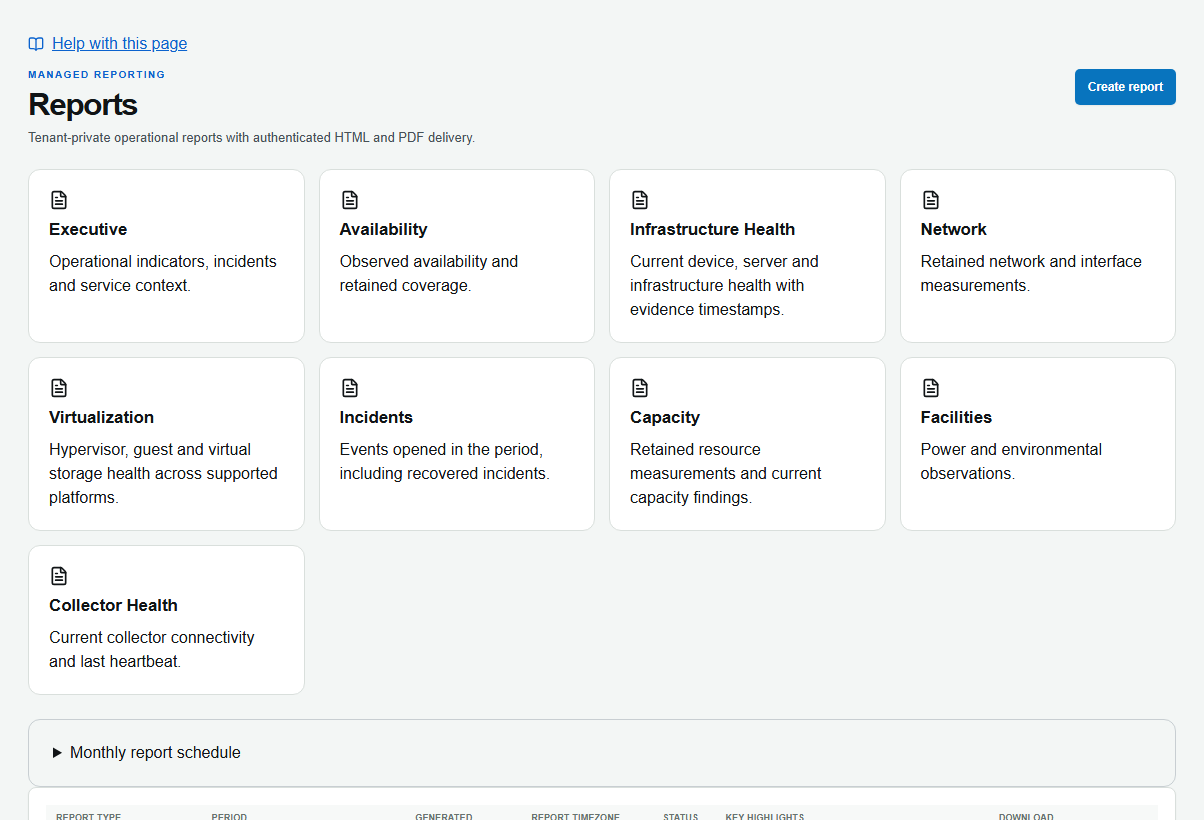
Select a report type, scope, period, timezone and sections; preview the result before generation or scheduling.
What is included
- Report templates for management and operational reviews.
- Scope, date range, timezone and section selection with preview.
- Generation, scheduling and permitted branding under the applicable plan and access rules.
Plan limits and optional services are shown on the pricing page.
Coverage and requirements
No data stays No data. Daily retention is not equivalent to full-resolution history, and partner report permission is independent of summary access.
A practical workflow
- Choose the report template and permitted customer or site scope.
- Set the exact period and timezone.
- Preview coverage, sections and available evidence.
- Generate or schedule the report and share through authorized access.
How to set it up
- Select a template and choose the customer, site or assets you are allowed to report on.
- Set the period, IANA timezone and sections; inspect the coverage preview.
- Generate the report or save an authorized schedule after reviewing its scope.
Executive Summary: a monthly review
Illustrative report outline using a chosen month in Asia/Manila.
- Overview
- State the selected scope and period so the reader knows what the report covers.
- Incidents and health
- Review observed issues and supporting infrastructure context.
- Coverage and limits
- Show unavailable data and retention limits instead of filling gaps with estimates.
AOT-authored example of how to read the product. It contains no customer measurements or promised outcomes.
Reports for the decision
Executive Summary, Availability & Coverage, Infrastructure, Network, Virtualization, Incidents, Capacity, Facilities and Collector Health templates.
Explore report workflows →